LG Magic Remote MR23GA

I wonder if the IR signal is being interrupted by the remotes enhanced functionality where it can work like a wii remote = motion controls with a cursor.

Also note: it has a mouse wheel in the middle of its direction button circle which is clickable for it’s select function; which might effect mapping that button.

No paper manual provided.

But this is the digital one from LG’s website

MR23GA magic remote manual

https://gscs-b2c.lge.com/downloadFile?fileId=xy8ob1VVzsmHvaxYaiA0A

Apparently this remote is used for all the newest OLED TVs from LG

I hope we can find a solution together 🥰

Kate

Britton House, M4 4FQ

1 bed, 1 bathroom, 1 balcony, 1 kitchen.

Built in Fridge, Built in dishwasher, built in microwave.

hallway
bathroom
living space, kitchen area

living space, couch area

living space balcony

living space, desk area
bedroom
bedroom
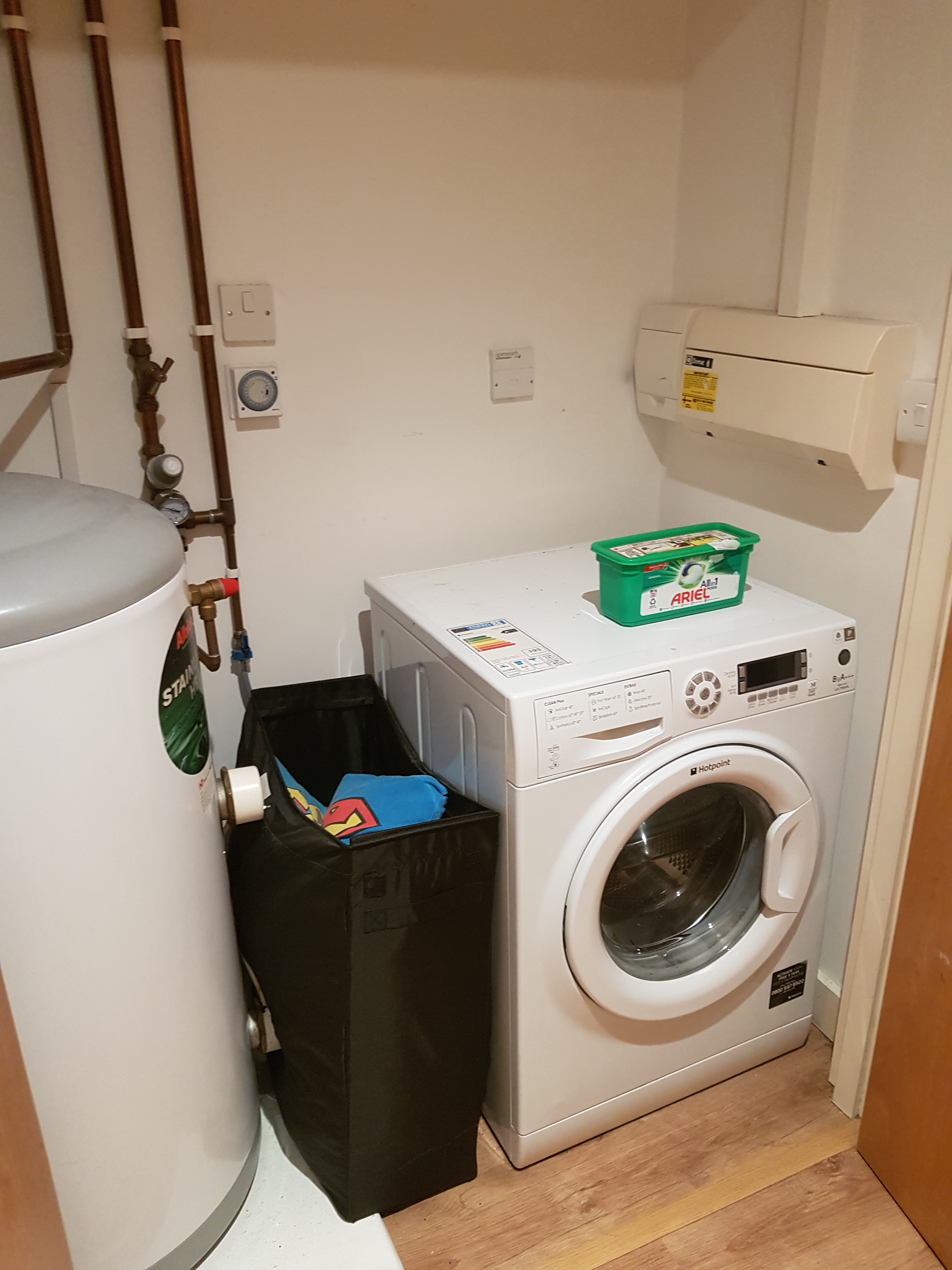
Hallway, utility cupboard

What to fill in and check for good SEO

Intro

This document is a quick guide to the search engine optimisation (SEO) Yoast WordPress tool – what sections there are in the UI and guidance on how to use it. I would recommend using it to maximise internal and external discoverability. Some guidance on WordPress tags has been added to help boost SEO.

For additional guidance use the hyperlinks provided in the tools or take the SEO Yoast min course SEO for Beginners training (Opens in a new browser tab) .

Tags and key phrases

Tags

Craft a dictionary of tags that you can apply to Posts and Pages and do not deviate; have a concise collection of words so pages link and the theme of the site is defined.

You can use online tools like Google Trends, Keyword Tool, etc. to check how popular your key words are (remember to filter by ‘United Kingdom’, ‘Past 12 months’ and ‘Jobs & Education’ ); see related searches to see if it is term used in similar areas.

Tag management page will be found at:

https://website.com/wp-admin/edit-tags.php?taxonomy=post_tag&post_type=page

Have a concise tag name, and relevant but short tag slug, description can be useful for internal guidance

Make sure to delete or edit tags that don’t fit with your key theme, or are outdated terms – updating the tag will update it on all tagged pages.

Keyphrases

Key phrases can be a sentence or a collection of key terms that should be the focus of the page in question. It is set in the SEO Yoast section of the page editor.

Page Editor

Title

Have a title that is descriptive with a good length

Permalink

Have the permalink reflect the title

Show tags

Tick to show tags – it will generate links between related content

Body content

Make sure that content doesn’t use H1 as this is used for the page title

Use H2, H3, in the correct order

Try to add lots of content (minimum of 300 words)

Add transition words like ‘and’, ‘but’, ‘so’ and ‘because’.

Have internal links to other pages, and external links to related content

SEO Yoast guidance

Expand the sections and use the tabs to access more information

Snippet Preview

This shows what the webpage summary looks like on Google.

Select ‘Edit Snippet’ to edit what the Page name, Slug and Description looks like (with text or using ‘Insert snippet variable’)

The bar below SEO Title will change from Red to Orange to Green to Red to inform you of how good the display title is.

Readability analysis

Detailed guidance with supplemental links will tell you how to improve the text, this will dynamically update as you change the content.

Focus keyphrase

Set the Focus keyphrase to the key purpose of the page, optimum length for a keyphrase is up to 4 function words (keywords).

Detailed guidance with supplemental links will tell you how to improve the text, this will dynamically update as you change the content.

Page sharing

Allows you to set what social media sites will pull from the page when it is shared.

Recommend to always use hashtags in the description and the website’s logo as the image – to help with brand recognition.

Even though it says ‘Facebook’ these settings will pull through for most social media platforms.

Advanced SEO settings

Please leave the advanced settings.

Excerpt (at the bottom of the page)

Excerpt usually are a copy and paste of the Strapline. What is set here is reflected in the search results, if it is not set then it will take the first sentence of the page content

Site-wide SEO Yoast settings

On the left of the WordPress admin area there is a button for SEO with a Yoast icon

The subsections are

  • General – this does not need to be edited, unless we get Google verification
  • Search Appearance –Subsections: General, Content Types, Media, Taxonomies, Archives, Breadcrumbs and RSS
    • General – use this to set how the snippet variables in the page settings appear in the search engine display.
    • Content types – set the default SEO title and Meta description for Posts and Pages – as a back up or starting point for newly created content
    • Media – Do not edit
    • Taxonomies – Do not edit
    • Archives – Do not edit
    • Breadcrumbs – Do not edit
    • RSS– Do not edit
  • Search Console – Ignore it is just for Google Authorisation Codes to link to Google Search Console
  • Social – Add social media accounts to let search engines know which social profiles are associated to this site
  • Tools – Ignore this section
  • Premium – Ignore this section
  • Courses – Links to further training courses available


Evolution of Digital learning platforms: Where is it going?

Abstract

As we look towards the future of learning we grapple to prepare, we need to know what is next in order to adapt pedagogical styles, available technology, perspectives of our students and peers, so to hit the ground running.

As we look towards the future of learning we grapple to prepare, we need to know what is next in order to adapt pedagogical styles, available technology, perspectives of our students and peers, so to hit the ground running.

Introduction

After the BBC Micro and thermal printers, the schools slowly acquired Windows computers; this enabled the start of a class-wide then school-wide learning platform. By ‘learning platform’ I mean an integrated collection of resources and services for teachers and students to facilitate education, on a local intranet or the world wide web network. With more advanced computers resources, like text files, images and exercises could be centralised, used by students and managed by teachers. This simple model of shared drives filled with digital versions of what we would have in paper form is still used across the board; this has evolved to have more media types, wider audience and more user-friendly dashboards for access. This paper will cover the evolution and future horizons of learning platforms, their forms, capabilities and complimentary pedagogies.

Learning Platform: an integrated collection of resources and services for teachers and students to facilitate education, on a local intranet or the world wide web network.

The Tech

The technological limitations and advancements have governed the development of digital learning platforms, whether it be bandwidth, hardware or code sophistication. Trying to stick to digital learning platforms available to the majority of public UK academic institutes over the past 20 years, seemed to be large enough scope to see an arcing development in the area.

20 years

Language Labs as a digital learning platform (LP) empowered learning to be tailored for the individuals even in the early versions. Students in the same class were able to work at their own pace, independent oral exercises, practice and reattempt exercises with instant feedback. These packages had text, video, audio, interactive worksheets and recording facilities all on one platform.  This multi-media learning only grew and spread from here.

In 2002 Moodle (modular object-oriented dynamic learning environment) was released and is now the most widely used virtual learning environments (VLEs) in the UK, and is used across the globe. Setting and keeping up with an expected standard for learning platforms Moodle is a great example of how the capabilities expanded. Teachers had ownership and control of the content shared on VLEs reducing the cost, increasing the maintenance and creating a tailored unique LP.

Currently

The afore mentioned Moodle has taken a turn in 2013 to focus on mobile compatibility, allowing resources to be accessed from phones and tablets, removing the restriction of a desk, timetable or location to access course content. As a platform, it has been a repository and authoring tool for learning resources, allowing for uploads of assignments and deadline management while providing gradebooks and trackers for progress monitoring. Moodle activities are adapting to the shift towards collaboration with communication activities like Chat and Forums, student-made resources with Wiki, Glossary and Book activities, while enabling peer assessment via Workshop.

Google Classroom is rising in popularity supplying an alternative to paying for Microsoft Office licences with their cloud based Google Office apps. Work done via google Classroom on their apps are capable of connectivity and communication that no VLE has given before; empowering staff to be able to monitor students work in real-time, giving feedback remotely in live comments. The new capabilities are not just great for distance learning but gives students a sense of 1-1 mentoring without the teacher looming nearby. Activity and progress analytics are effortlessly recorded so teachers can quickly respond to students when performance dips. Many other smart features such as class wide notifications, class resource management, lesson sharing, assignment uploads and group work repositories.

Gamification interactive game-styled education packages are on the rise, along with progression and experience tracking with rewards like badges or achievements. There has been critique of gamification suggesting a sacrifice of content and an overload of distracting stimulus, however there has been books and guides to help balance the two. Gamification done well can increase engagement and motivation to learning platforms and their resources. Platforms such as code-academy and Duolingo hit the the balance well, badges, goals, reminders, progress tracking, mini-games, gamified language like ‘adventure’, and use of agents. With virtual field trips like expeditions and the rise of mobile-first development gamification will increase in utilization and develop a refined formula.

Project and portfolio based work has been on the HE and FE scene for a while however it’s becoming increasingly popular leading to students having their own creations uploaded into online portfolios, gathering evidence of their work. This has increased the elements in platforms for cloud storage and more creatively challenging activities or assignments. Platforms, especially gamified ones and MOOCs (Massive Open Online Courses) have reacted by creating public profiles of progress or enabling sharing of

Learning analytics feeding teacher decisions is not isolated to Google Classroom and gamified platforms, across the board it’s becoming a standard requirement. This doesn’t just help the teachers pick up on performance problems, but also praise and plan ahead. Parents, children and staff can use these for justification and motivation; for the student this builds highly valuable transferable skills of planning and reflection.


Emerging

Learning management systems, cloud-based with embedded content creation and heightened communication features. Breaching into a new era, the introduction of the shared drive broke us from moving physical resources; this expansion not only removes the restriction to a computer with media suite content creation programs on it, but it also removes the need for the blended classroom. A blended approach means the the LMS is complimentary to the classroom, however the 1-1 tuition communication, screen-sharing, unlimited access to peers and tutors, the benefits of the classroom are being pulled into the learning platform, truly creating a Virtual Learning Environment true to its name.

The changes in affordability of tech rushed smartboards, tablets, VR/AR (virtual/augmented reality) facilitators and mobiles into classrooms. Education resource providers are now setting mobile-first development as a priority and budgets are adjusted for R&D to make virtual experience for devices over PCs. Mobile compatibility and an increase of personal tech has lead to bring your own device (BYOD) sessions being common accepted practice, helping blur the lines between classroom and home; shaping the next generation to be stronger autonomous lifelong learners, by ingraining habits of learning from apps for homework but also in the times of waiting.

Personalised ‘playlists’ of material that is tweaked via information gathered from tracking analytics. These playlists can be full packages augmented or collections of micro / bitesized lessons (3-5 mins) promoting small and frequent engagement. The playlists adjust, if a student is struggling on a topic, some scaffolding to the activities will be added and some supplementary material will be suggested to help build understanding; if a student is excelling in an area then more challenging advanced material will be added to stimulate and promote their work. The personalised tailoring of supplied material targets a key concern in the Ofsted, the ability to assisting the progress of struggling students and narrowing the skill and knowledge gaps between students that is usually due to different educational backgrounds.

3D printing is becoming more affordable and creeping into the campuses, being utilised by computer science and engineering courses initially but now spreading into business, art and design. Staff are able to create tailored props to demonstrate in class and students are learning to prototype and create using something that has been widely used in industry for years. Platforms aren’t at a stage that they can host modelling software however they can share their designs and creations in repositories or online portfolios. We have been able to share books across platforms for a long time, but we’re moving towards being able to share tools, dioramas, models and collaborate

Basic AR/VR (Augmented/Virtual Reality) is used and creation is taught in media or computing courses. Using cheap equipment like Google Cardboard, this enables going on Google Exhibition virtual field trips or looking at immersive 360 documentaries on YouTube. Many of the AR/VR kits come with their own platform for access to different app access, file access and soon communication integration.

Yet to come

Cloud platforms are on the rise but they will be the standard, now with almost every student being able to BYOD (Bring your own device) the platforms and their resources will be highly cross platform compatible and be entirely online. As more resources and collaborative tools are digitised and accepted the classroom will be bare, except for 3D printers and QR (Quick Response) codes. The shift to cloud platforms will cause an online campus without borders, improving access for overseas and disabled, students and staff.

VR AR will blossom and become cheaper and easier to use; this could be the future of distance learning. Online classrooms, immersive access to everything you’d have in the classroom, peers and teachers as avatars, e-books and 360 demonstrations. Giving focus and unavoidable attention as it’s streamed straight into your eyes. This could save institutes insane amounts of money if viable. Considering the high level of interaction and tracking available with Google Classroom, if it joins with a VR interface for face-to-face tuition and class discussion etc then we could have a new future in distance learning.

Robotic or virtual learning buddies will be on the rise to help collect more data as a digital confidant while providing advice derived from data. Personalised assistance giving feedback on oral skills for languages and presentation skills. Giving advice without judgement or pressure, improving student’s communication skills as they articulate problems and information. Students will learn alongside these avatars, they will be facilitators of learning, not teachers or reciters of information, however they will adapt to promote educational growth. Parents, students and educators will be able to monitor progress and pain points with these tools.

Courses can become gamified digital worlds to explore, enabling demonstration of concepts impossible for the current-day classroom. Immersive story-telling experiences will teach students in a more natural way, in the form of active learning. Students being able to collaborate and problem solve in a virtual world can put themselves in the shoes of: explorers identifying plants and animals, surgeons performing surgery, generals devising plans in a war room, the list goes on. This multisensory learning will stimulate and motivate learners in ways imagination and a textbook can’t, as it will be a shared experience. A virtual world could be the platform, every resource, every lesson, every teacher uploaded and waiting, while all activity, evidence of work and understanding and communication can be logged, tracked and monitored.

Enhanced tracking to improve dynamically tailored experiences designed from live data analytics resulting via automated interactions. Simplified will be lots of sensors monitoring your brain, body, habits, activities and results to make a learning platform suited just for you. Resources will be at your reading level, for the topics you need to learn, in bitesized chunks stacked into playlists and scheduled to when you receive that information best. Your performance will improve as content is filtered and streamlined to your platform and adjusted effortlessly to predict your needs. Enough data from enough sensors and students will inform algorithms to create precise predictions and plans.

Pedagogy and Students

Instructionism and 80s kids

Still carbon copies, military, batch processing, factory of Consumers and Workers. Textbooks, standardised testing, set lesson plans with defined objectives; computers were available with learning suites, text processors and basic connectivity. The sentiments of Ken Robinson Is being echoed by companies. – Ericsson

Constructionism and 90s kids

This generation witnessed the blossoming of online learning platforms from a collection on a floppy disk all the way to cloud platforms of many forms accessible from a huge range of devices. This has given them the experience of developing from the simple systems to the complex from primary school to university, into life-long learning. Increase in portfolio assessments and seeing the boom in online and modular formats to lessons and courses, increasing flexibility.

Connectivism and the Millennials

The upcoming generation has always used tech and now they must be fluent in it, utilising it and apps make and use peer made content and suggestions. Forums and social media are key sources of advice and information. Thankfully with this they are also being taught to critically analyse what they read and be able to verify the sources.

Communication skills in a ubiquitous tech world

Entrepreneurism and Generation Z

The new bend that non-mainline schools/colleges/universities are taking towards portfolio work, less tests, more study of communication and interaction working with students towards personal goals and achievements. Putting aside knowledge based rubrics, not worrying about a curriculum; more concerned that the student comes out well rounded, curious and proactive, equipped with a huge chunk of portfolio work and demonstrable skills. This is great as the work sector has already become known for taking people regardless of the topic of their qualification, and valuing their interpersonal skills.

The curriculum will shift from regurgitation of knowledge towards thinking skills, creativity, problem-solving and practical application due to automation, self-service and robotics in the picking up any basic repetitive tasks or basic calculated decision making that can be handled by machine learning algorithms. Thus the future will be selling your skillsets, not your knowledge making the learning platform be a hub of evidence with analytics and skill level evidence via portfolios of projects.  A future version of radar charts will quantify your skillset showing your levels across different, each value backed up with projects completed and invented by the student, promoting evidence based development and transferable skills.

Generation Z is full of multipotentialities, proactive multi-skilled curious people who are eager to explore and ready for shifts and changes. Considering the rapid progress of automation and robotics they will need to keep on their toes, being adaptable and innovate in the workplace, but also in education, as the classroom encourages more interaction with industry and creative entrepreneurship in their projects. As more tuition and communication shifts online, more integration can occur with companies; in the future there will be a higher rate of company set projects, currently popular in professional development modules and one off events like hackathons.

With VR and hologrammatic projectors guest lectures from industry and school trips to collaborate with businesses, students will be networking frequently, building up a connections throughout their education. Virtual tuition and apprenticeships will lower the age that people are getting accepted to do skilled work for companies and earn good wages; already America has programs like Virtual Student Foreign Service (VSFS) and young adults are using sites like fiverr and peopleperhour.com.

Learning platforms will be required to collate services and plugins for getting accessed to appropriate, suitable for their skillset that fulfils learning objectives on courses. Capturing the progress and work that a student makes across different roles and projects will be essential, giving a groundwork of experience to their CV. Using algorithms to filter and measure the value of project-work will automate the coursework allocation and tutors can focus on guiding and advising them.


Preparation, Growth and Adaptation

The future is full of ubiquitous, portable, affordable high tech that will need to have a highly compatible cloud based learning platform to facilitate collaboration, authoring, portfolio hosting and lots of clever analytics and tracking; where do we start? Well we have already started, moving resources, VLE’s and lessons online; this decentralisation will mean only the format of the content will be a concern however new tech will couple with conversion options or compatibility. The use of the new tools and activities hosted by the learning platforms something staff will have to keep up to date with. Generation Z are highly digitally literate and adapt fast to emerging tech, many staff are lacking the training, time and confidence to utilise the new tools.

Step 1: Convert to the digital versions of current resources.

Step 2: Accept the tech in to the classroom.

Student to staff teaching and learning symbiotically and in parallel will have to be acceptable, students have to be willing and empowered to teach and staff have to integrate exploration of new tools into the lesson plans. This interaction should be recorded or reviewed and shared with the community. Peer to peer learning will gather the resources and aid in paired-problem solving; this will ease the strain on 1-1 tuition on the staff and have them focus on those in need. Peer work has always been a huge concern with risk of cheating or reduction in productivity, however with increased artificial intelligence (AI) monitoring, tracking and analytics, the digital footprint of the work will show how much work was contributed and by whom.

Step 3: Invest in a VLE that gives you all the activity analytics in a non-techy readable format.

Step 4: Put tracking in place and let the students collaborate.

Students being more digitally equipped and doing love projects then encouraging them to make the resources their classrooms and others need will lower cost and increase the amount of tailored resources. Having these projects being constantly available for improvement and digital platforms logging all the different versions and variations can lead to refining continuously. As resources start to focus on the creativity and interactivity of classwork authoring tools and asset catalogues will come embedded; institutes need to pay for these upgrades and staff need to work with students, guiding their hand, setting tasks and creating the project requirements.

Step 5: Step away from the podium and learn with your students.

Step 6: Invest in authoring tools and plugins that link to your VLE’s activity tracker.

Step 7: Commission student made resources that will not be wiped down annually, but will grow and be shared and utilised.

The digital platforms will be a hub of all learning resources, analytics and gradebooks, with it being on the cloud and highly compatible students can access it at any time from any tech. The lines between learning, work, social and vocational will blur, students will want their personal endeavours to could towards getting marks for their soft skills. Increase in connections and resources from industry will bleed into personal endeavours and interests forming professional relationships. As the platform, tuition and resources move to the borderless cloud, so will learning, no restriction on language, location or time. There is already translation embedded into some browsers, apps and VLE’s. Distance learning is on the rise and becoming normal, which facilitates letting the student work when it works for them.

Step 8: Prepare for deadline and timeboxing to reduce, as performance and achievement overtake attendance and score sheets.

AI and machine learning has already begun to mark tests and essays to a reasonable degree, and plagiarism detection has been inbuilt to VLE plugins for many years now. AI will mark the assignments, grade student performance and generated predictive optimised learning plans. Staff will be the second marker focusing on content not grammar and spelling, nurturing the student in their activities, having more proactive one to one time with students and having sight of the whole academic picture for each of them.

Step 9: have confidence in well trained AI

Step 10: get ready to have a digital platform that frees you up to really connect with your students.

Summary

The world of digital platforms has come a long way, its currently changing and it will become a global platform for a learning community, if academia allows it to.

The past has come a long way in a short amount of time, producing students who have adapted to digital tools confidently, with some leaps forward that gave a broad range of exposure. As it approached the present a full catalogue of digital versions of analogue classroom tools became available; interactive e-book libraries, virtual reality, video instruction, automatic marking, multi-platform interfaces,  BYOD and flipped classrooms with an increase in tracking and data analytics. The emerging and future dial this all up, full automation of marking, robotic assistants, tailored learning experiences from AI analytics and full educational virtual worlds. The curriculum can shift to collaborative work with detailed tracking and live projects can promote creativity and professionalism.

Preparation of placing software, regulations and guidance is required to keep the students safe, to capture their work and to cultivate healthy relationships. It’s exciting and it will redefine education and assessment, putting students in the driving seat with teachers guiding the wheel; this change in outlook will have to be adopted slowly for staff and student to feel comfortable and to carve out new boundaries and expectations. Developers and designers of learning platforms will continue to be more compatible with new hardware and resources, whether it be part of their backlog or integration of community made plug-ins. Training, documentation and digital instruction modules have to be available for student and staff to study in order to harness these developments with confidence. It’s an impressive past, exciting present and interesting future of education and digital platforms.

Bibliography

Bates, T. (2013) Harvard’s current thinking on MOOCs, http://tinyurl.com/a2uh86z

Edmonds, K (2015) The Evolution of Elearning (then & now – what’s changed?), http://learnkit.com/2015/12/15/the-evolution-of-elearning-then-now-whats-changed/

Andergassen, M. et al., “The evolution of e-learning platforms from content to activity based learning: The case of Learn@WU,” 2015 International Conference on Interactive Collaborative Learning (ICL), Florence, 2015, pp. 779-784. Available at: http://ieeexplore.ieee.org/document/7318127/

The_evolution_of_e-learning_platforms_from_content_to_activity_based_learning https://www.researchgate.net/publication/308831601_The_evolution_of_e-learning_platforms_from_content_to_activity_based_learning_The_case_of_LearnWU

ALEKS Assessment and LEarning in Knowledge Spaces is a Web-based, artificially intelligent assessment and learning system. https://www.aleks.com/about_aleks

Secrets From the Future w/ Ed Fries || Experiential Technology Conference & Expo  || Join Futurist and Co-Creator of Xbox, Ed Fries, as he takes you through some of the most interesting predictions of future technology of the past and what it means for futurism today.  https://www.youtube.com/watch?v=dxczo_xR66k&feature=youtu.be

Artificial intelligence & the future of education systems | Bernhard Schindlholzer | TEDx FHKufstein https://www.youtube.com/watch?v=ZdHhs-I9FVo

TED: Future of Learning https://www.youtube.com/results?sp=EgIIBVAU&q=ted+future+of+learning

Uniting Technology and Pedagogy: The Evolution of an Online Teaching Certification Course Authors: by Bonnie Riedinger and Paul Rosenberg  Published:  Sunday, January 1, 2006 https://er.educause.edu/articles/2006/1/uniting-technology-and-pedagogy-the-evolution-of-an-online-teaching-certification-course

Transforming the World of Education with Technology.. Starting Points and Resources. December 17, 2012 BONNIEBRACEYSUTTON https://thepowerofus.org/2012/12/17/transformational-learnng-ideas/

What’s the future of education? Teachers respond. By Laura McClure on February 12, 2016 in TED-Ed Innovative Educators http://blog.ed.ted.com/2016/02/12/whats-the-future-of-education-teachers-respond/

McGraw-Hill Education  http://www.mheducation.co.uk/#

5 Digital Platforms Leading the Future of Ed-Tech Published Mon Mar 23 00:00:00 EDT 2015 By Communications Team  http://www.mheducation.com/blog/product-updates/5-digital-platforms-leading-future-ed-tech.html.html.html.html

Fosway: Digital Learning Realities 2017 research shares insights from over 1,100 L&D professionals. 12 Jun 2017 https://www.trainingpressreleases.com/news/fosway/2017/digital-learning-realities-2017-research-shares-insights-from-over-1100-ld-professionals

The 20 Best Learning Management Systems (2017 Update) https://elearningindustry.com/the-20-best-learning-management-systems

The Best LMS (Learning Management Systems) of 2017 http://uk.pcmag.com/absorb-lms/69852/guide/the-best-lms-learning-management-systems-of-2017

Google Classroom Could Bridge a Gap in Online Learning http://uk.pcmag.com/opinion/89988/google-classroom-could-bridge-a-gap-in-online-learning

Back to the future : An invitation to workplace learning in 2025. Sponge webinar. https://spongeuk.com/insights/2017/06/back-to-the-future-an-invitation-to-learning-in-2025

The Disruption of Digital Learning: Ten Things We Have Learned. BY JOSH BERSIN · MARCH 27, 2017. http://joshbersin.com/2017/03/the-disruption-of-digital-learning-ten-things-we-have-learned/

Fuse https://www.youtube.com/user/FusionUniversal/videos

Elearning Tools of today https://www.edsurge.com/product-reviews

ICT is changing the classroom: The future of learning, Networked Society – Ericsson https://www.ericsson.com/en/networked-society/trends-and-insights/networked-society-insights/future-of-learning

Dev Releases : Moodle https://docs.moodle.org/dev/Releases

BBC Future: Education http://www.bbc.com/future/tags/futureeducation

Language Lab: Sanako http://www.sanako.com/en-gb/

Costs for state school hits ‘£22,500 per child’ – By Jessica Winch 12:05AM BST 10 Jul 2013 http://www.telegraph.co.uk/finance/personalfinance/10169865/Costs-for-state-school-hits-22500-per-child.html

Disruptive Trends in the Education Industry: Overview by Jon Cropper : Futurlogic https://sway.com/aasJ_CLRUzF23dG2

Freelance job sites – Six that actually pay well. Crunch,  February 6th, 2017 https://www.crunch.co.uk/blog/freelancer-advice/2017/02/06/freelance-job-sites-pay-well/

Ted Talk Why some of us don’t have one true calling – Emilie Wapnick https://www.ted.com/talks/emilie_wapnick_why_some_of_us_don_t_have_one_true_calling

GEN Z in the Classroom: Creating the Future, Adobe http://www.adobeeducate.com/genz/

Social Robots helping young people with Diabetes https://www.plymouth.ac.uk/news/social-robots-helping-young-with-diabetes

About this

Title: MOOCs and Open Education: Implications for Higher Education

Author: Kate Nicolson

Date: August 2017

Massive Open Online Courses : Evaluation from my final year project

MOOCs are Massive Open Online Courses, they are educational materials arranged in to a course aimed for a specific learning objective that have unlimited scalability and are available online, available without need of pre-requisites (Haynes 2015). MOOCs available from the key providers, like Coursera, Khan Academy and EdX, are usually courses designed and produced from industry experts or academics.
Hosting a site with a large database that can handle large volumes of students can have issues and costs. In relation to management and maintenance, the large numbers of students one needs to implementing mechanisms for student support and feedback along with a plan for marking assessments on a ratio of many students to few administrators. A MOOC can be a gateway for huge scale communication and collaboration between learners that can be utilised to cope with the scale via peer review, assessment and support. An open course is not fulfilled just by being online, the course needs to be designed to reduce barriers for the user, even if not everyone interprets open in MOOC to mean ‘available for all’. To be totally open all languages would have to be catered for, all internet bandwidth considered, completely free and enrolment without any discrimination. This is a difficult label to attain however, compromises and using tools available can help find a balance between cost, user needs and course design. The course, resources, tuition and assessment should be hosted online; supplying direct links to online resources and choosing small browser friendly resources can help to reduce the strain on the servers. Assessment and completion certification can be online, however for some course providers there is optional additional offline assessment, if it awards credit from a university. A course is forms a series of classes or study module on a subject, typically leading to an exam or qualification. There are many variations depending on your design, tailoring delivery, content and assessment. The online platform adds new opportunities for expansion but also adds limitations. The exam or qualification can be a difficult element in online distance learning however, there are many ways to test and verify a student knowledge and engagement.
MOOCs differ from Virtual Learning Environments (VLEs) in the way the learning resources are utilized. VLEs are platforms to assist in blended learning, resources to support classroom learning, where without classroom learning the learning objectives could not be fulfilled with the resources on the VLE alone. MOOCs are packaged and presented to be a complete whole, the resources and information provided linking the resources produce the course in its entirety and will fulfil the objective as a package. One could argue that a course without assessment is not a complete course, and many MOOCs do not supply assessment, or even criteria for self-assessment. VLEs provide a platform for expert/teacher and student to hold supporting course material digitally, but the VLE is presented as part of a whole.

Joint Information Systems Committee (JISC) (Yuan & Powell 2013) recently reviewed MOOCs and found many benefits that they can give if utilized properly. From an educator’s point of view, they can be used by HEIs as part of the course provision by adopting blended learning, and their presence can be a trigger for discussion for universities to re-evaluate current pedagogy. From a business or revenue perspective they can be excellent tools for cheap analytics on course format, material and desirability; as well as being a way to promote the brand of the provider and connect with other companies and intuitions. Then for a learner’s benefit an archive of MOOCs or provider of MOOCs can allow students long distance, flexible learning which is available to enable people to become ‘lifelong learners’.

Many MOOCs are designed in an instructivist pedagogical approach which are known as xMOOCs, it makes sense it is a popular format as they are often direct adaptations of lectures or training courses; the polar opposite of are cMOOCs, these adopt a connectivist approach that are collaborations between users to share educational material and usually depend on peer review (Haynes 2015). Even though these are prominent design approaches there are many more which people have discovered and experimented with, however due to the level of customisation the format allows most MOOCs become a hybrid of different types (Anders 2015).

Teaching philosophies and styles create different pedagogical approaches to teaching, format and content; instructivist and connectivist mentioned are two of the most common approaches but there are many more. JISC (Mayes & de Freitas 2004) outline a few e-learning theories and approaches.
Instructivist that comes from associationist/empiricist psychological theories with elements of behaviourism and connectionism (neural networks). Often assumed to be a teacher-centred practice, the focus is more on the structure and sequence of delivery of teaching. As a course designer, the components of a course, the tasks, are scrutinized and organised into sequences, with clear layout of pre-requisite dependencies and progression. The journey for a student through a topic would be a calculated release of the fundamental simple concepts then progressively being taught in a steady incline of complexity. The foundation of this approach is the building of associations in the mind, having the basics being revisited and connected to the more complex components with emphasis on reinforcement via feedback to strengthen the connections. This approach is the most traditional, with the structured content, continual monitoring and reinforcement to improve positive patterns of performance. Something to consider with this approach is it is very controlled, giving the student a set path and needs either personalised or automated feedback considered.

Constructivist pedagogical approach that comes from cognitive psychological theories. Teachers analysing curriculum information structures as concepts, while under the impression that the knowledge is gained as the student processes input into mental models. Constructivism is based on the idea that the mind builds mental concepts with the input gained from educational activities, adapting and shaping the constructs as new experiences unfold. As an approach the students would have lots of practical investigation of topics to form strong tested reliable concepts that are covered in the curriculum, the more exposure the stronger the mental concept. The teaching focus being on refining the metacognitive processes to improve memory and how the student constructs meaning and knowledge in the thoughts, while exposing the student to opportunities to test and develop their knowledge.

Communities of practice pedagogy comes from situative psychological theories. Focuses on how knowledge is circulated socially in the context of community practices, products of which will demonstrate the abilities of successful engaged participants/students.  This leads the goals and design of the curriculum and pedagogy away from granular inspection of tasks towards the overarching patterns of behaviour of successful practitioners/students. This change in approach may lead to more focus in nurturing the collaboration and avenues of facilitated learning instead of the resources, with the idea that a healthy community of peer to peer learning will mean rich and reliable resources will be hunted out, shared and critically analysed by well-equipped social learners.

Mehanna (2004) tested blended learning theory that is a mix of different elements from different pedagogies to suit the needs of the situation, staff and students. With thorough analysis of 29 strategies and pedagogic behaviours, 3 categories arose:  Cognitive, Meta-Cognitive and Self-System. Promoting a pedagogical approach to e-learning and teachings of complementarity blend of behaviourism and constructivism and cognitivism. Findings suggest eLearning can benefit from considering a range of pedagogies, supported by the strong positive correlation with students’ learning and the course outcomes.  These findings provided solid evidence that ‘blending’ different learning theories and pedagogies was practical and beneficial.

Margaryan, Bianco & Littlejohn (2014) address the lack of research into instructional theory and research regarding MOOCs. They indicate that most studies gathered data as qualitative opinions of participants rather than pedagogical or instructional experts or objective results. Their study covered 76 courses across a sample of different MOOCs; the design of each was then evaluated against the ‘first principles of instruction’. The ‘first principles of instruction’ are outlined by Merrill (2013) by synthesising the prescriptive elements of instructional design from different sources.  In response to pedagogical design theories Merrill (2013) states that the design and theories require foundations in ‘experience or empirical research to be valid’. Merrill’s research into many different theories and designs resulted in these predominant principles that emerged: 1) Problem-centred 2) Activation 3) Demonstration (show me) 4) Application (let me) 5) Integration. Merrill then goes on to explain some key theories that reflect and support elements of his 5 principles. Margaryan, Bianco, Littlejohn (2014) tested 5 additional principles constructed by Margaryan in 2008; collective knowledge, collaboration, differentiation, authentic resources and feedback. The findings of the in-depth analysis of the courses in respect of the 10 principles resulted in finding ‘limited evidence of first principles of instruction’, there wasn’t one that evidenced all 10 principles, out of 72 points none scored higher than 28; summarised as ‘instructional design quality of MOOCs is essentially low.’ The research covered comes as a product of overviewing many designs, theories, MOOCs and pedagogical views, as a core basis, to validate these the supporting studies should be addressed to verify them. The principles are founded in intellectual consideration and have been crafted in different ways, there is benefit in checking the physiological supporting evidence.

Problem-centred, is progressing through problem-solving tasks to towards succeeding at a real life, achievable task. Worth noting if problem solving is integrated into learning it is advisable to add or allow utilization of external memory aids, ‘Such tools augment our limited short-term memory and our limited ability to imagine manipulating problem elements.’ (Jeff Johnson, 2010)

Activation, utilizes the learner’s previous experience to use as a platform in which to attach new knowledge to; making it a tool to remember via recall. Same sentiment is the core to Piaget’s (1952) ‘assimilation’; which is when the mind develops a schema for an experience that then becomes the basis for similar encounters in the future. This platform then adapts and forms when this schema does not work, ‘accommodation’, then the new knowledge builds on and modifies the schema.

Demonstration to give guidance towards application, solution and relevant resources. Liang et al (2007) verifies that recognition is easier than recall; active demonstration is better than description or block of text to memorise. Jeff Johnson (2010) gives 4 elements that impacts our ability to learn from experience: generalization, influence from friends and family, objectively learning from own actions and overgeneralization. The 3rd element explains that you cannot see or recall the cause and effect of you own actions, so to bypass this issue seeing someone else perform the action will make the cause and effect more evident and easier to learn from.

Application, the recall of material and use of the knowledge towards different situations and examples, putting what is learnt into practice while instructor progressively reduces aid. Jeff Johnson (2010) states ‘Even insects, mollusks, and worms, without even an old brain—just a few neuron clusters—can learn from experience’ so acting on knowledge is the most natural way to learn.

Integration encourages the sharing, exploration and utilisation of new knowledge as a natural part of their lives. This principle is reinforced by neurophysiological studies showing memories activate neurons which in turn can trigger to overlapping neurons; this can be seen using ‘electroencephalography (EEG), functional magnetic resonance imaging (fMRI), and functional magnetic resonance spectroscopy (fMRS) (Jeff Johnson, 2010). The more overlapping of neural pathways, by associating your knowledge with other memories, means it is easier to trigger, meaning easier to recall. Neural pathways can be easier to trigger due to having many over lapping or connecting pathways or by re-triggering the pathway multiple times. By taking knowledge learnt and implementing it with new scenarios, associating it with new people, objects and events, the neural pathway for memory of that event is not only revisited but connected with other pathways.

Collective knowledge, the open sharing and amalgamation of learning materials, consumed and provided by the learner. Weinschenk (2009) proves that you learn information from people you relate closely with better than sources you are not familiar with, so we can derive from this that learning is improved if the knowledge is sourced from your peers, friends and family. Jeff Johnson (2010) states that overgeneralization is a natural way to learn and build on previous knowledge however he says it’s important to not generalize on just one example, or from atypical examples. Collaborative pool of knowledge can encourage many variations on examples to ensure generalization is formed with sufficient input.

Collaboration, working together with peers inside or outside the course, to cooperatively complete learning objectives or tasks. Weinschenk (2009) proves that friends and family impact how well we learn and what we learn; this shows that if you relate closely with your peers then learning with them and from them is an effective tool. Considering this it may be efficient to bond with peers prior to learning or group people with similar interest and traits to improve learning.

Differentiation, variation in resources and pathways to provide choice to suit different learner goals and needs. BBC Active outlines that this choice of pathways is to accommodate different personalities, preferences, capabilities and temperaments of students. It’s understandable that choice of resource delivery and teaching method is quite empowering for the student to tailor to their needs and preferences. Differentiation helps fortify the signature nature of MOOCs as highly accessible, which comes from the Open element.

Authentic resources, real life applicable, relatable examples and resources. Relatable examples allow learning material to utilise pre-existing strong neural pathways by connecting the new concepts to old memories (Johnson, 2010); these associations become stronger and easier trigger, causes the new information to be revisited frequently reinforcing neural networks improving memory. This can also bring in emotive associations which can be positive or negative reinforcements; e.g. if you learn a math problem with examples about buying ice-cream, then the happy memories of ice-cream may be triggered when solving those math problems

Feedback, expert guidance, support and moderation of work. Hattie & Timperley (2007) devised four levels that influence feedback’s effectiveness, task level, process level self-regulation level and self level. Task level feedback can be instruction to validate their conclusions, encouraging the student to search for more supporting information to their work. Process level feedback is the student’s processing of information, or learning processes to help them shape their ideas and articulate intent and meaning. Self-regulation feedback level, building reflection skills and confidence to tackle a task. This can have huge influence on autonomous efficacy, regulation, and giving the student positive self-beliefs about themselves as learners. Self level feedback can be personal compliment to the student, often unrelated to performance. After thorough review of many sources and studies Hattie & Timperley (2007) came to find feedback gives direction and baring to the receiver of the feedback as the giver implies expectations and guidance. Feedback was found to increase effort, engagement and motivation leading to an increase in cue-searching and reduction in discrepancies.

The Principles reviewed highlight ones verified by scientific and psychological research are Demonstration, Integration, Collective Knowledge, Collaboration, Authentic Resources and Feedback. It has been advised for the principles reviewed and other pedagogical and design guidance to not use principles in isolation. The principles which have been verified can be combined and paired to not only ensure that when used they are used together but also to enhance the effectiveness of the impact when implemented. If a list of 10 principles are given then a reader may pick and choose which to use and which to ignore; to combine them, thus shortening the selection a reader may be more inclined to utilise them all. Reviewed the principles are consolidated into: Authentic Relatable Demonstration, Collaborative Integration (which in digital implementation will encompass Collective Knowledge) and Feedback. These the construction of these 3 principles come at the sacrifice of limiting the components implementation, but for the purposes of enhancing experience of each for the user the combination is justified.

There are different ways to tackle the design of a MOOC, from using formulas that a lecturer would use for a HEI setting to letting it grow organically from the community. Clive Shepherd (Hubbard 2013) covered exposition, guided discovery and exploration. Exposition is the top-down expert to novice information flow of knowledge. Guided discovery is a framework and signposts are set to set a path to certain learning objectives. Exploration is where an objective is set, but then little or no guidance or constraints are given to the learner.

There are considerations for teachers to make in creation of online courses which are advised that also support the principles chosen. Starkey (2012) adapted the ideas of Shulman (1987) covering comprehension, enabling connections, teaching and learning, reflection and new comprehensions. Ensuring subject key concepts and principles and the subject methodologies are considered. The staff have routes in which to review student progress records, while having resources that encourage students to make and share their own connections that they make within the content; the course should enable the exchange of knowledge between peers. Evaluation and feedback with tailored assessment and review methods, adapted to reflect the class culture and needs. Reflection on the course and design decisions in regards to performance, professional advice and student feedback, these reflections should also consider new ideas about the subject and academic research of best practices.

In undertaking the task of designing an online learning system, especially a MOOC where there are huge demands as the ratio of pupil to educator can be excessive requiring a “distribution of labour” (Wiley, 2002). MOOCs being massive and open means potentially unlimited number of students, this leads to a requirement of implementing automated feedback and utilizing peer review processes. Automated feedback is limited, although suitable for clear cut multiple choice questionnaires and giving badges or positive messages for progression like “Well done! You completed section X” there is not much room for specific constructive feedback.  Some topics such as sciences can be boiled down to right and wrong answers, however the use of multiple choice questions can lead to cheating the system as the student can guess or use deductive reasoning. There is a way of using fairly accurate automated marking through machine learning ‘Automated Essay Scoring’ (AES) that Balfour (2013) reviewed in comparison, explaining that a computer is fed 100 example assignments which have been marked to use as a basis for marking the others automatically. This is a desirable implementation for MOOCs, but only in the right circumstances, able to mark assignments on mass reduces the work load for the staff however it will not be able to evaluate the quality of the writing, just the context; limited feedback to the content itself will not help develop the understanding of the concepts and remove the option for proactive discussion of the marking. Peer review/feedback/assessment can give personalised feedback and reinforcement, this can be allowing discussion, review comments, collaborative group work or peer assessment where students mark other students work formally. For formative assessment and feedback there are many informal formats in with peer assessment can be implemented, then instructors need to find creative ways of encouraging the discussion. Summative being the measure of proficiency and usually counting towards certification there needs to be education of marking and standards. In peer assessment, the student must learn how to mark, understand the mark scheme/rubric, build critical analysis skills and learn how to give constructive feedback, that are all useful skills. Practice in marking and learning the content so to be able to mark to a high standard ensures the student learns as they mark, being able to reflect and build their own ideas with exposure to others. There should be carrot or stick with peer assessment, either part of the grade/assessment/qualification is the ability to do peer-assessment or content/marks/certificates are withheld without adequate participation.

What is Yammer?

Yammer is a social network tool that comes with Office 365; this means everyone with the same domain email account will already have a Yammer account connected. Like Facebook, Yammer is split into a main wall of posts that is labelled ‘‘All Company’’ and then there are groups for each interest area. It’s an excellent way to share information, ideas and feedback while also getting to know more about the company and your co-workers. 

How is this useful?

As a new starter who was familiar with Yammer, I found it a really good way to learn more about the areas of a company. The groups are a nice way to connect with colleagues with similar interests; I joined a music group and a crafting group. Posting on groups gave others an insight into who I was and many people used it as a conversation starter, which was nice and welcoming 

What can you do?

Groups / Posts / Follow / Message

Inspired by the success of other groups and my interaction with others in the office I made a user experience (UX) group and a gamers group. I made both groups private, so the creation of the group is announced on the ‘All Company’ wall but the posts in the group aren’t; I was then encouraged to make the UX one public which greatly increased the number of replies to posts. 

I have joined many groups to learn more about the company and Ed-Tech and I love that I am able to share research, news or things of interest with people. This exchange of knowledge and interests has connected me to new areas and resources I wouldn’t have been able to find and lead to me connecting with some amazing people. 

The ability to ‘Follow’ people is a notification system, which is a great way to keep an eye on people who post interesting things, or to get flags when people you’re interested in connecting with create posts. Following people on my team helped me get to know their interests and start conversations, which can be difficult in the beginning. 

Direct messaging is available but I haven’t used it much, but it has come in handy when I have wanted to give feedback on a post, or wanted to get in touch with someone who doesn’t use Skype for something too quick and informal to warrant an email. 

What did I do?

When I was on my ‘year in industry’ with a software development company, Yammer was a core tool for: company notification/information, enabling teams to give visibility of their work, for developers/analysts/designers to point each other towards solutions, and social connections and events promoting company culture. 

At my current company Yammer is used differently but I am so glad it is used, the communication on some channels seem to be very active and important for the exchange of information without filling up inboxes. As a new starter and graduate it was great to have a tool akin to social media that I felt comfortable to explore and contribute to. 

How to get to Yammer and thank you

Thank you for listening to my experience with Yammer and I hope those who haven’t checked it out will give it a look. I recommend joining or making groups for your job roles and research areas and using it to connect with and keep in touch with colleges you don’t work face to face with. Please encourage new starters to login and join groups, it’s an excellent way to learn about Jisc and their peers. Head to Office 365 login and find the Yammer app. Thank you. 

Chat-bots … Ready

The recent talk ‘the future of chat-bots’ by Gary Pretty in Manchester was not what I expected. Anticipating a social hypothetical discussion on the application of chat-bots the group received insight to the current technological climate of customer relations followed by a series of practical demonstrations of the application of chat-bots using Microsoft Azure Bot Service.

Mr Pretty opened with a brief introduction of himself as the technical strategist, senior developer and one of the Microsoft MVPs at Mando in Liverpool. The scene was soon set with a quote:

“The most profound technologies are those that disappear. They weave themselves into the fabric of everyday life until they are indistinguishable from it.” – Mark Weiser, Chief Technologist at Xerox.

There is a world of ubiquitous technology where the act of ‘talking’ to devices now being a widespread ‘norm’, so much that non-technical folk old and young are comfortable with AI like Alexa and Siri; this gives chat-bots an opportunity they have not previously had. Chat-bots have been around a long time, however people are now aware of them and understand they are a tool, not a novelty or a trick.

There are now more installations of messenger apps than social media apps. Messenger apps are a domain that are commonplace and part of people’s daily lives. Companies that utilise chat-bots on messenger platforms can reach people in their own familiar territory. Making people come to a website, dial a phoneline or travel to a store, forces them to learn unfamiliar layouts or territories to find a way to get want they want or need. A chat-bot understands the language they use, is in a format they use every day and is laid out in way that is easy to navigate and revisit.

EXAMPLE: Proactive customer service

The lights go out in your street, you pop on a messenger app and start a conversation with your local utilities company. It greets you, you ask what is wrong with lights in your street, it takes your postcode, it gives you a status update and lets you know it will message you with updates. The messages stay, your details are kept, a few months later you’re at work, you get a message saying that there are issues in your area and they will be resolved asap. This enables you to plan ahead, you’re happy that they have kept you informed and you didn’t have to chase them when you got home.

EXAMPLE: Cross-platform support

You’re doing research on education technology trends. Using outlook to email a research chat-bot gives you a good 5 articles to start your framework. After laying the framework you start a skype chat with the bot to pull out more supporting arguments and recommended journals around an area. The recommendations spur on ideas that you comment on as your conversations will archive in outlook to build up your notes for later. Later that week as you shape up your report you get a SMS from the bot notifying you that a new journal has come available that has strong correlation to the themes of your report and supplies you with a link.

Bot creation is not artificial intelligence, it is conversation design. The code is a combination of sections listening out for triggers and cascading flows of programmed responses. A bot could listen for the person to ask a question, it will check if something particular is mentioned and will give the appropriate information. The bot can be programmed with defaulting responses like “sorry I don’t understand can you rephrase it”. Depending on the app it is plugged into the bot could present premade options to make the conversation easier to progress through. The bot designer will usually aim to craft a conversation path that gives the desired outcome or information as efficiently as possible.

Artificial intelligence (AI) is available as plugins, optional attachments, that the bot can use to be more sophisticated and adapt more effectively to the needs or goals presented. Some AI require training before the bot is launched, this means running it through sample scenarios about 200 times so it learns what it should be doing given its context.

EXAMPLE: Image Analysis

A casting agency app asks potential models, actors or extras would create a profile and upload a picture. The picture would be analysed to check that someone was in the picture, that they didn’t seem scary or aggressive, check there was only one person in the image and that it was ‘suitable for all audiences’. The bot was then able to accept or advise appropriately by responding with something like ‘Hi, I’m afraid there are too many people in this picture, I won’t know which one is you’.

EXAMPLE Sentiment analysis

A useful plug in that can detect levels of anger, stress or upset and score it between 0 and 1. In linking it to a first line customer service chat-bot, it will know when to hand over the enquiry to a human ‘college’ when the sentiment hits a certain level. Issues can be resolved in the most appropriate way, quick and efficient bot for the easy FAQs and complicated ones passed to trained advisors before well before the stress escalates too high.

Some AI plugins are ready to be used by the bot without training.

EXAMPLE: Translation

Of course, it is recommended that if you have a large proportion of your users from a particular country then you should invest the time and money on translators and cultural consultants. However, to cater to smaller demographics quickly and cheaply the translation AI can do real-time audio and PowerPoint slide translation for live/streamed audiences. It can utilise the context of the words to increase accuracy, but note it may not be able to handle obscure technical, subject-specific or scientific terms.

Excellent free open source bot makers are available, and so easy to use you could make a bot in minutes with minimal technical know-how. The community of bot makers is always expanding and forging tools to make it easy for anyone to create their own.

EXAMPLE: QnA Maker

Microsoft My QnA service maker is a super slick easy tool to instantly have a bot that can tackle all frequently asked questions. All that is required is to upload a document, spreadsheet or simply point the maker at a web address of the product’s manual or a company FAQ, this is then automatically converted into a knowledgebase. The bot is then immediately able to respond to any question in the knowledgebase with the appropriate answer. This gives a way for the customer to get solutions on channels that are quick, convenient and familiar.

The talk was educational and energising, finding that not only is the world ready for this approach to service delivery and that it is extremely simple to achieve with the right tools. The applications for not only educational services but also resources are endless. It is exciting to think ahead and look forward to having a wide range of bots each tailored to facilitate processes, research, education, collaboration and so much more. This is a great leap towards technology adapting to the natural behaviours of people, contrasting to the old ways of people bending to restrictions of device design.